Integration
From the timeline
to the web.
Publish directly from DaVinci Resolve Studio to your Ravens of Odin site. Photo albums, timelines, mixed media — your edits, your story, one click from the Deliver page.
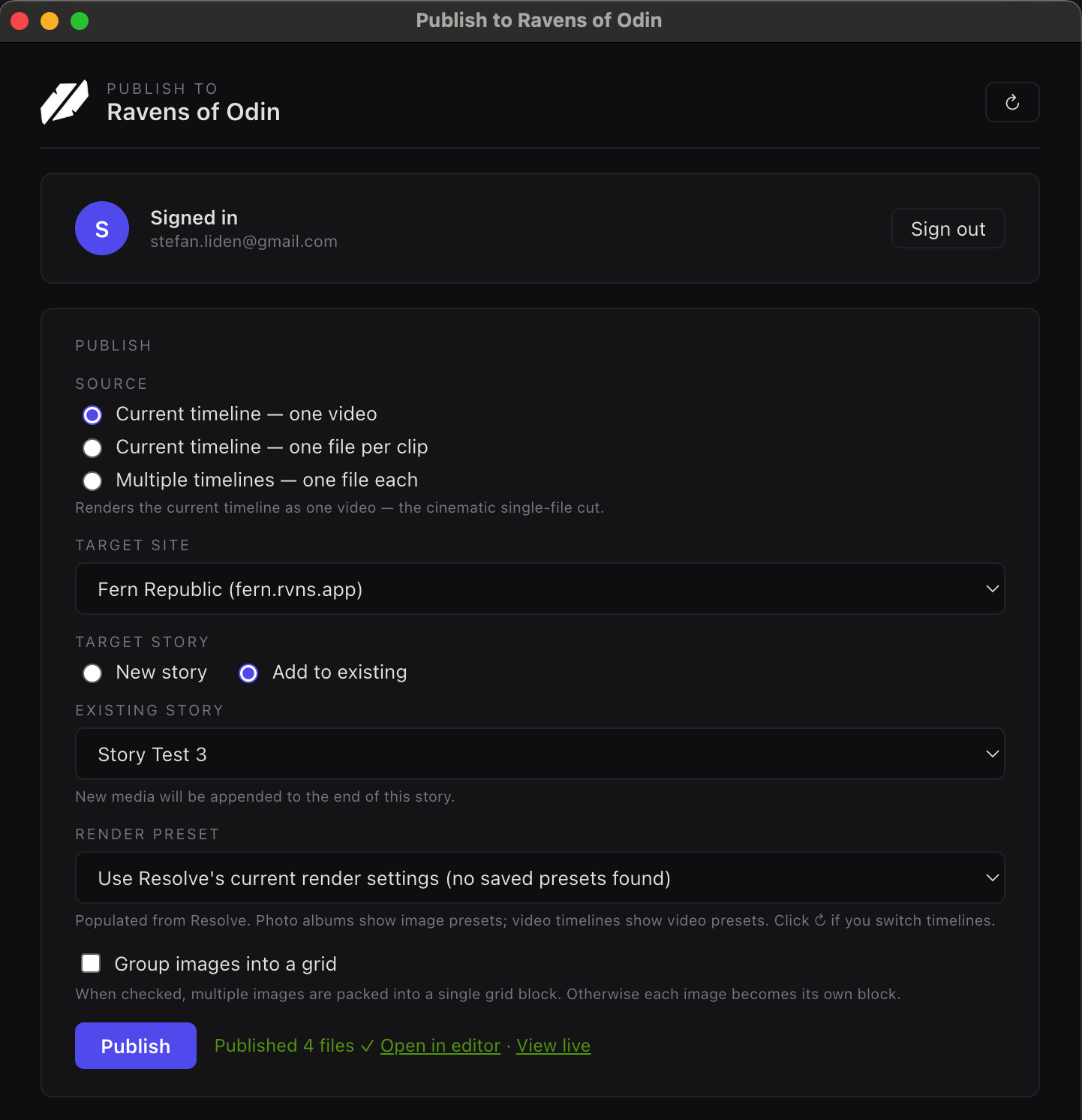
Publish directly from DaVinci Resolve Studio to your Ravens of Odin site. Photo albums, timelines, mixed media — your edits, your story, one click from the Deliver page.
How it works
Color grade your clips, arrange your photo album, cut your timeline. Work exactly the way you already do — the plugin sits in the background until you're ready.
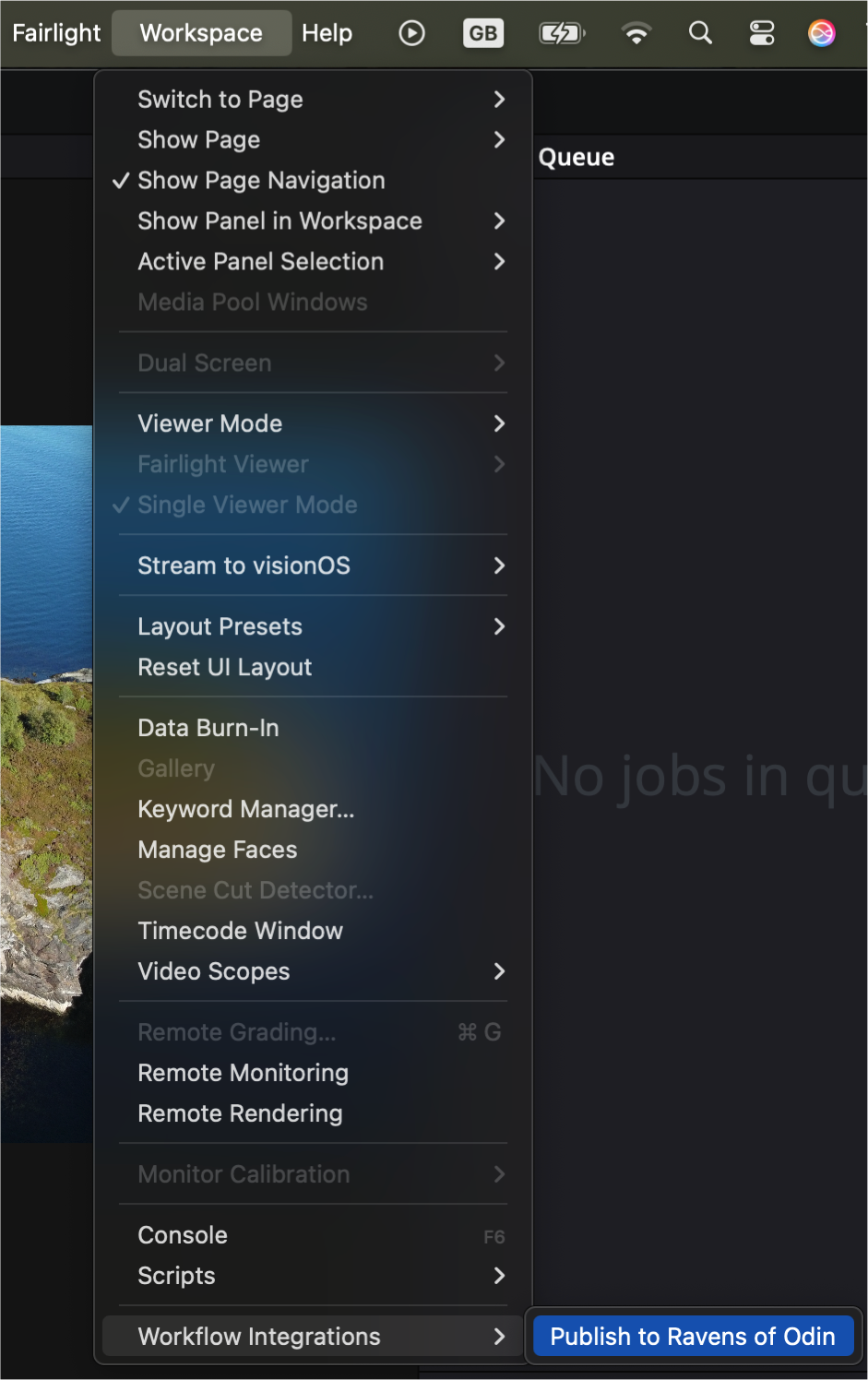
Workspace → Workflow Integrations → Publish to Ravens of Odin. Pick a source (timeline, individual clips, or multiple timelines), choose your site, and hit Publish.
The plugin renders, uploads, builds the story layout, and publishes — all in one pass. Open the editor to fine-tune, or share the link immediately.
See it in action
What you get
DaVinci Resolve v21 introduces photo editing. Publish your photo albums directly — each image uploads with its original EXIF intact, ready for camera-info blocks, map pins, and per-image reactions on Ravens.
Publish your timeline in "one file per clip" mode and each cut becomes its own block in the story. Your color, your edit decisions, your sequence — preserved exactly as you intended.
Got five short clips, each on its own timeline? Check the ones you want, hit Publish — each renders to its own file and becomes a block in the story. No manual export-rename-upload loop.
Published a trip's photo album yesterday, shot a drone clip today? Open the plugin, pick "Add to existing", select the story — the new media appends to the end. No overwriting, no duplicates.
Camera, lens, exposure, GPS — extracted from your images at upload time and carried through to the published story. Camera-info blocks, map view, and per-image reactions all work automatically.
Authenticate once via a popup and your session persists across Resolve restarts. Links back to the editor open in your browser, already signed in. No passwords to remember, no tokens to paste.
Install
The install script downloads the plugin, finds the Resolve bridge module on your machine, and puts everything in the right folder. Just restart Resolve when it's done.
curl -fsSL https://ravensofodin.com/downloads/install-resolve-plugin.sh | bash
Open Terminal, paste the command, and press Enter. You'll be prompted for your password (the plugin installs to a system directory).
irm https://ravensofodin.com/downloads/install-resolve-plugin.ps1 | iex
Open PowerShell as Administrator, paste the command, and press Enter.
Prefer a manual install? Download the zip and follow the README inside.
The plugin is free for all Ravens of Odin users. Install it in one command and publish your first story in under a minute.
Install the pluginAlso available: Lightroom Classic integration — publish your curated collections as visual stories with full EXIF intact.